How to Choose an LED Flight Tracker Display
What an LED flight tracker display actually does, how the live data works, and what to look for before you buy one for your home or desk.
What is an LED flight tracker display?
An LED flight tracker display uses a matrix of colored lights to show aircraft near you. You can glance at a desk, shelf, or wall display for available flight details such as identity, altitude, and speed. Compare data coverage, setup, included modes, ongoing costs, and the space where you want to put it.
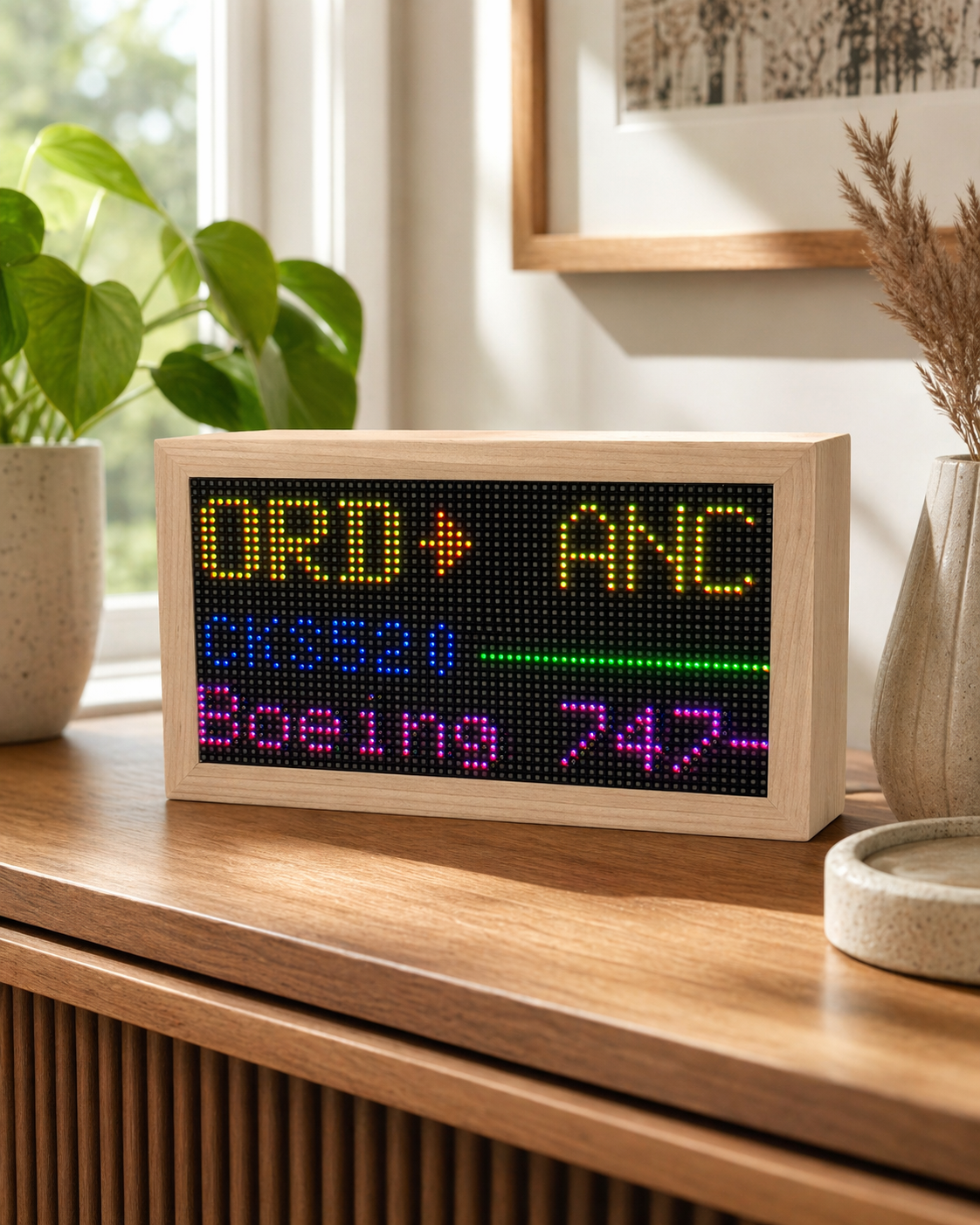
It runs on ADS-B.
Many aircraft broadcast position, altitude, and speed using ADS-B. Displays combine those signals with receiver-network coverage, which varies by location and aircraft. Check what happens when a flight or route is unavailable.
Overhead, single flight, or a board.
Some displays show nearby aircraft, some follow one flight, and some offer an airport-style departure board. Decide which view you will actually use. Mach 2 offers all three; its Departure Board uses your own FlightAware AeroAPI key.
Watch out for recurring fees.
Check whether core tracking, firmware updates, and any schedule data require a plan or third-party API. Mach 2 includes airborne tracking and updates without a device subscription; FlightAware extras can carry provider charges.
An object, not a kit.
Choose a finished piece or a DIY kit based on who will set it up. Compare materials, footprint, mounting or stand options, power needs, and whether assembly and support are included.
What to look for before you buy
- Coverage and freshness. Check the data source, your location, update interval, and what the display shows when route data is missing.
- Useful modes. Compare overhead scanning, single-flight tracking, departure boards, and any key or subscription each needs.
- Setup fit. Confirm whether first setup needs a phone app, desktop browser, account, or hands-on assembly.
- Ongoing costs. Separate included tracking and updates from paid provider data or optional plans.
- Physical fit. Compare panel readability, material, stand or wall mount, power supply, and actual outer dimensions.
LED, LCD, e-ink, or DIY?
LED matrix
Glowing pixels make aircraft details readable at a glance. Compare resolution, brightness, enclosure, and power needs.
LCD or HDMI
A screen can show maps, photos, and more detail. Consider whether you want a dedicated object or a display you already own.
E-ink
A quieter, non-glowing look can suit a bright room. Check how often it refreshes and what live data it actually shows.
DIY kit
Best when building and customizing are part of the gift. Compare parts, firmware, assembly, and support with a finished display.
How two ready-made LED flight trackers compare
Two ready-made LED options are the FlightTrackerLED Mach 2 and TheFlightWall. They share the same core idea — live aircraft on an LED matrix — but differ in setup, modes, build, and support. Here is an honest side-by-side to help you decide, or see the full Flight Wall alternative comparison.
Choose the page that matches how you are buying
Mach 2 product page.
Price, availability, reviews, setup, shipping timing, return details, and the secure checkout CTA live on the Mach 2 page.
Aviation gift guide.
For pilot gifts, plane spotter gifts, aviation gifts for dad, and Christmas cutoff planning, start with the gift page.
LED flight tracker display FAQ
No. Mach 2 has no device subscription — live ADS-B data and free OTA updates are included. Optional advanced modes can use your own FlightAware key.
They use ADS-B signals broadcast by aircraft. Mach 2 combines cloud aircraft positions with a route engine built in-house, and optionally uses your own local ADS-B receiver.
No. Mach 2 ships fully handmade and assembled in a solid maple enclosure, and you set it up from your browser in a few minutes.