Live airport weather on your display
Airport Conditions is a new scene for Mach 2: your airport and its flight category, the wind with an arrow, and a row that rotates through delays, visibility, cloud, temperature and pressure. Big enough to read across the room. Free, and it installs itself over Wi-Fi.
Your airport’s weather, read like a pilot.
Pick an airport, or leave it blank to use the reporting station nearest your home. The top row is the airport and its flight category in the standard pilot colors, from VFR in green to LIFR in magenta. The middle row is the wind, with an arrow that flies with it. The bottom row rotates through FAA delays for US airports, visibility and cloud, then temperature and pressure.
In development · coming as a free update
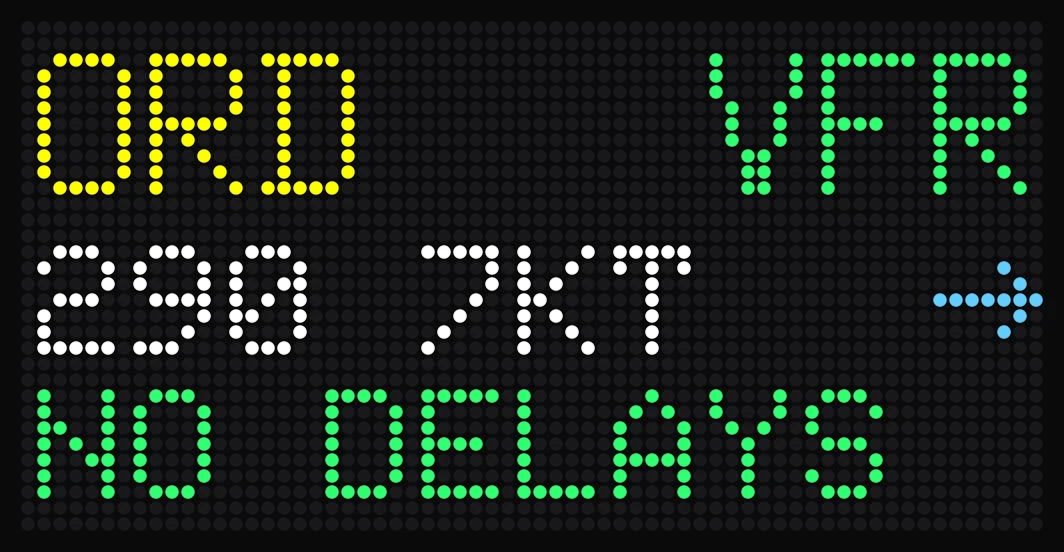
64 × 32 LEDs. O’Hare: VFR, wind 290 at 7 knots, no delays.
What it looks like around the world.
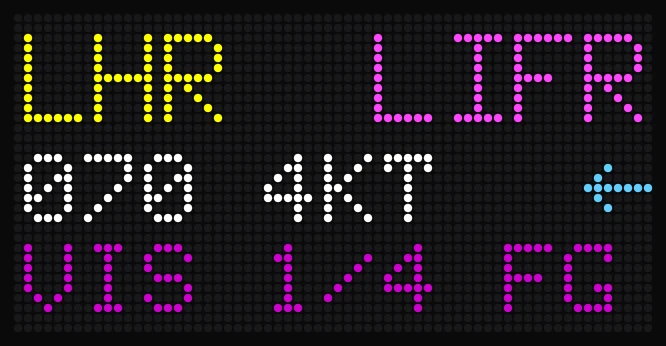
Fog at Heathrow
LIFR in magenta, and a quarter-mile visibility in fog on the bottom row.
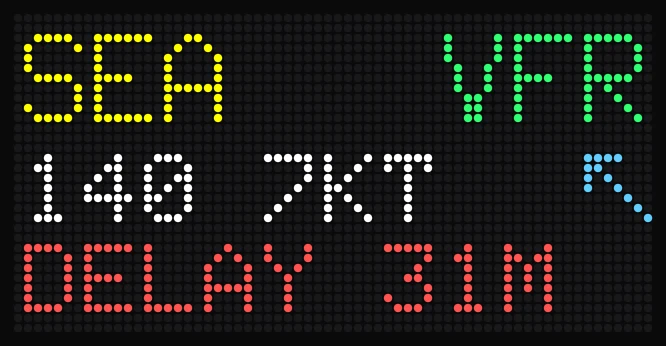
A delay at Seattle
When the FAA reports a delay, it takes the bottom row in red.
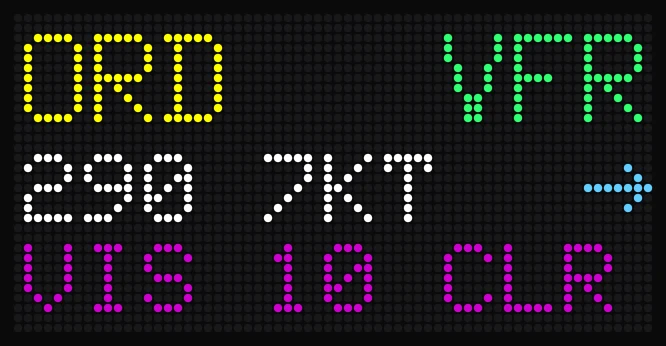
The rotating row
The bottom row cycles through delays, visibility and cloud, then temperature and pressure.
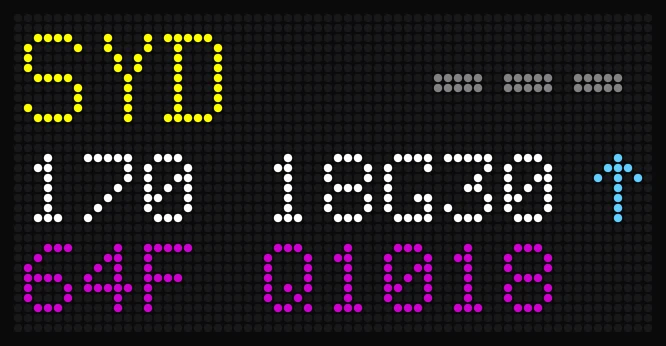
Sydney
Works worldwide, with pressure in hectopascals. A report with no visibility shows gray bars, not a guess.
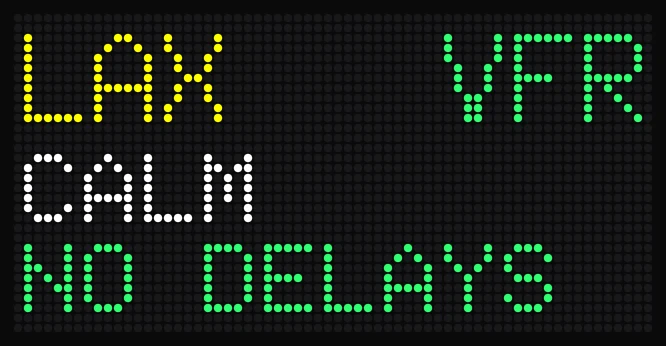
Calm at LAX
Calm wind and no delays, readable from across the room.
Previews are rendered from the display’s own fonts and layout. The scene is still in development, so details may change before it ships.
Free, with no key.
No subscription, no API key and nothing to link. It reads public aviation weather reports and FAA airport status, fetched once for every display.
Three big rows.
The same type as the flight screen, and nothing smaller than a callsign, so you can read it from across the room.
No stale weather.
If a report is more than three hours old, it says NO REPORT instead of showing old weather. Delays only appear when the FAA feed is fresh.
Buy now, get new scenes free.
Every Mach 2 and Mach 2 Lite gets new scenes as free updates, alongside the Overhead Scanner, flight tracking and the free Departure Board. No device subscription.